
NOA DebuggerNOA Debugger
  • v1.7.0
  • v1.6.1
  • v1.5.0
  • v1.4.0
  • v1.3.0
  • v1.2.0
  • v1.1.1
  • v1.0.0
Demo
Contact
Buy
  • 日本語
  • English
  • 日本語
  • English
  • 日本語
  • English
  • 日本語
  • English
  • 日本語
  • English
  • 日本語
  • English
  • 日本語
  • English
  • 日本語
  • English
  • v1.7.0
  • v1.6.1
  • v1.5.0
  • v1.4.0
  • v1.3.0
  • v1.2.0
  • v1.1.1
  • v1.0.0
Demo
Contact
Buy
  • 日本語
  • English
  • 日本語
  • English
  • 日本語
  • English
  • 日本語
  • English
  • 日本語
  • English
  • 日本語
  • English
  • 日本語
  • English
  • 日本語
  • English
  • About the Overlays

About the Overlays

An overlay is a feature that allows displaying specific features even when the tool's main view is not open.

Screen UI Layout
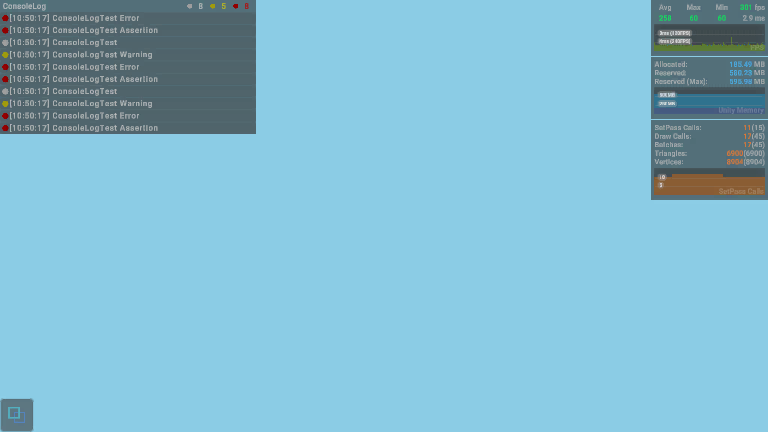
overlay-UI

Display Settings

Since the overlay cannot be interacted with, the display contents and positioning must be set in advance.

All values that can be set at runtime will be retained even if the app is restarted.

For settings common to the entire overlay, please refer to Tool Settings.

For settings and screen configurations specific to each function, please refer to the following:

  • Profiler
  • ConsoleLog
  • APILog